

1
Start
Press Register on this page to open the Playluck form.
Opening a Playluck Casino account takes three to five minutes: one form, an email confirmation and, before your first withdrawal, a quick ID check. Once registered, you have 72 hours to make the deposits that unlock the welcome package of 100% up to £1,100 + 100 Extra Spins.
What the form asks for and in what order.
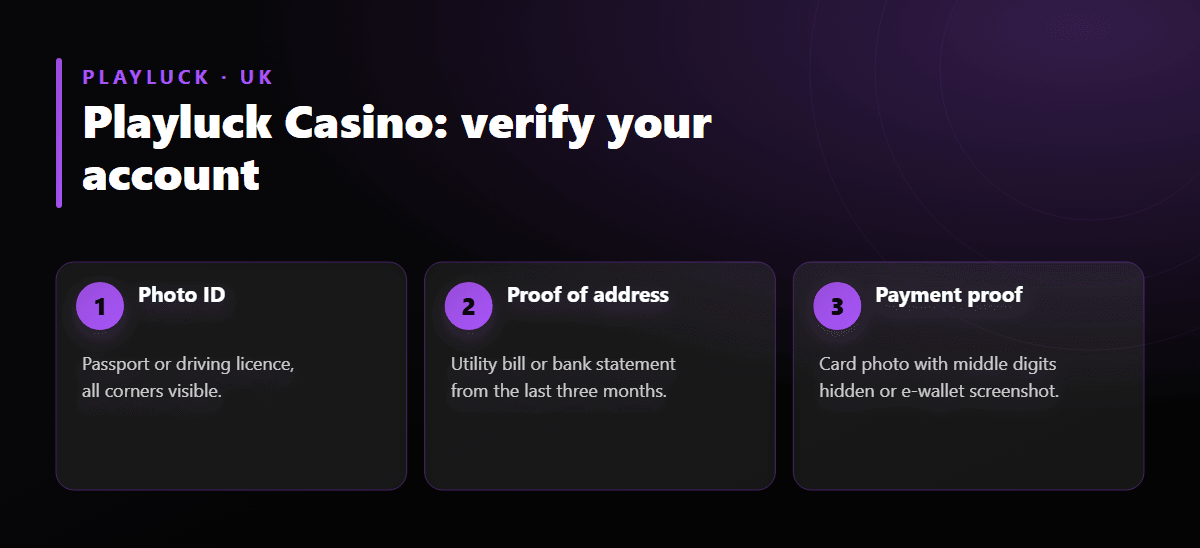
Every UK-facing casino must confirm who you are. Playluck checks age and identity automatically at sign-up and asks for documents before the first withdrawal at the latest.
What | Examples | Our tip |
|---|---|---|
Identity | Passport, driving licence | Photo in good light, all corners visible |
Address | Utility bill, bank statement | Issued within the last three months |
Payment method | Card photo with middle digits hidden, e-wallet screenshot | Name must match your account |
Upload them from the account area on day one. Checks usually take a few hours to a couple of days, and approval is confirmed by email.
Head to the Cashier and deposit £20 or more by card, PayPal, Skrill or Neteller to start the welcome package — Trustly and MuchBetter deposits don't count towards it. The general minimum deposit is £10 if you just want to play. Extra Spins from each part must be used within 24 hours. Full terms: Playluck bonus review.
Problem | Fix |
|---|---|
"Email already in use" | You may have an old account — reset the password on the login page |
Age check not passed | Re-enter name, birth date and postcode exactly as on your ID |
No confirmation email | Check spam; request the link again |
Can't pick GBP | Make sure the United Kingdom is selected as your country |
Quick, standard and well signposted. The only thing we'd stress is accuracy: details that match your ID make verification painless and your first withdrawal faster. Then try the casino on your phone — our app review explains how.
An email address you check every day.
Your passport or driving licence to hand, so names and dates match exactly.
A UK mobile number.
A debit card, PayPal, Skrill or Neteller account in your own name.
A recent utility bill or bank statement for proof of address.
The sign-up form lets you set a deposit limit before you play. Lowering it later takes effect at once, while raising it involves a cooling-off period, so setting a sensible limit at the start costs nothing. Time-outs, loss limits and self-exclusion are in the account settings too.
Once your email is confirmed you start at Bronze in the loyalty programme, can browse every game and have 72 hours to make the deposits that unlock the welcome package. Your first Free Play Sunday arrives on the first Sunday after a deposit. To sign in next time, see our login guide.